Zapier, Make and n8n all connect your apps and automate work between them, but they suit different teams and charge in very different ways.
- Zapier is best for non-technical teams that want the biggest app library (9,000+) and the fastest setup. It costs the most once volume grows.
- Make is best for visual builders on a budget. It has the lowest price per step, but polling triggers use credits even when nothing new arrives.
- n8n is best for technical teams that want flat pricing per workflow run, self-hosting and AI agents. It asks the most skill to set up.
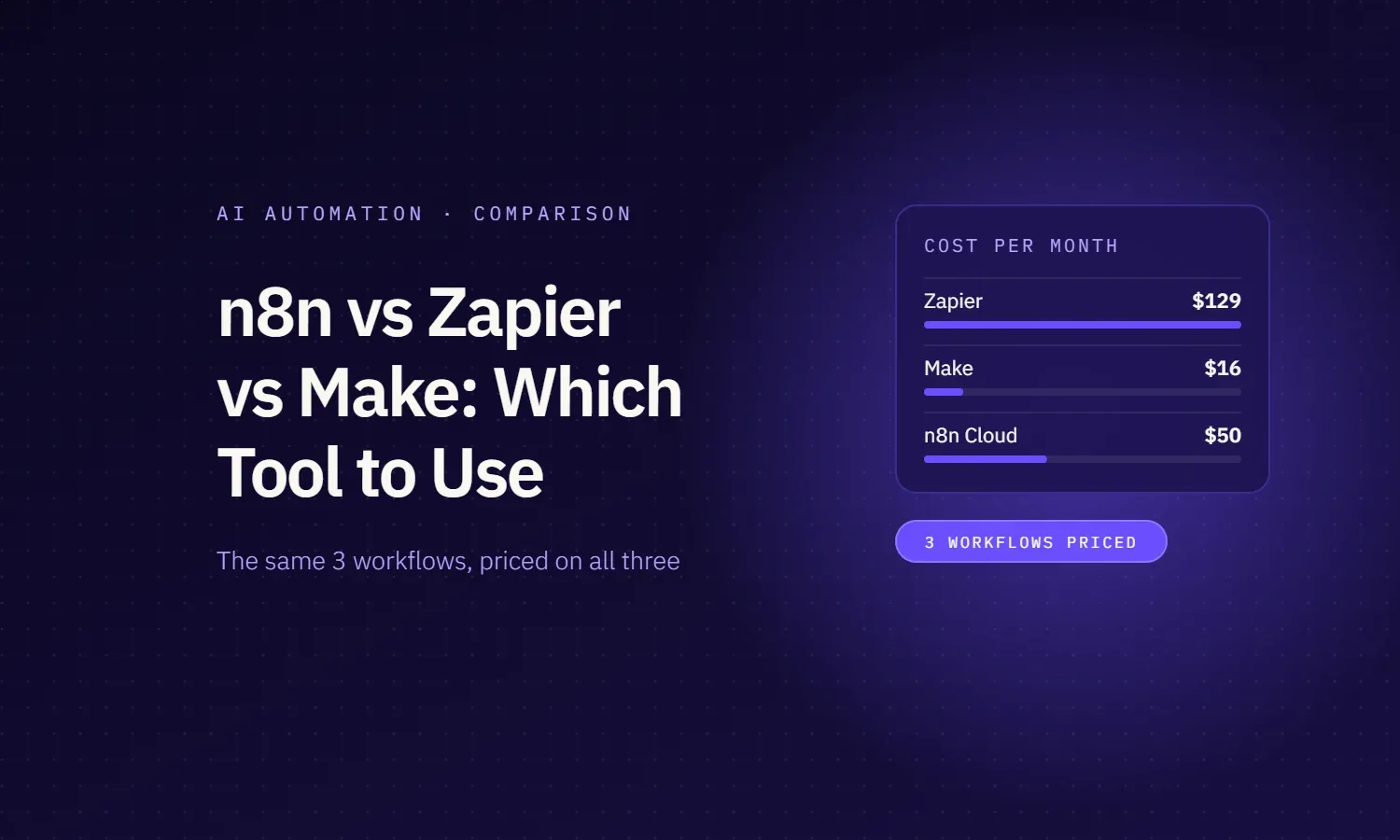
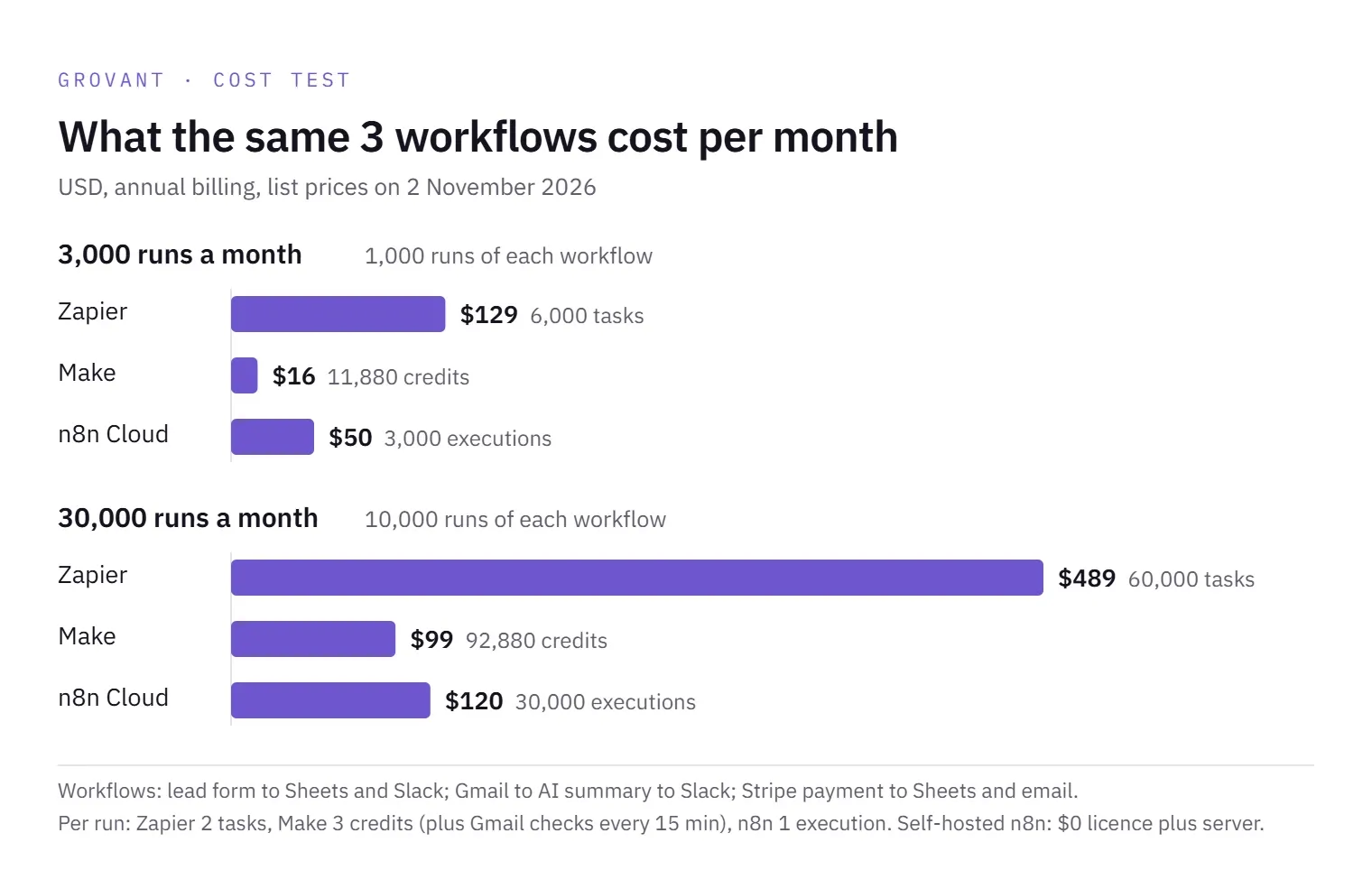
In our cost test, the same three everyday workflows running 1,000 times each a month cost $129 a month on Zapier, $16 on Make and $50 on n8n Cloud (annual billing), or only server costs on self-hosted n8n.
n8n vs Zapier vs Make at a glance
| Feature | Zapier | Make | n8n |
|---|---|---|---|
| Best for | Non-technical teams, widest app choice | Visual builders who want a low cost per step | Technical teams that want self-hosting, code and AI agents |
| What you pay for | Tasks: each successful action. Triggers, filters and formatters are free | Credits: each module run, including polling checks that find nothing | Executions: one full workflow run, however many steps |
| Free option | 100 tasks a month, two-step Zaps only | 1,000 credits a month, 2 active scenarios | Self-hosted Community Edition (you run the server) |
| Cheapest paid plan | $19.99/mo for 750 tasks | $9/mo for 10,000 credits | $20/mo for 2,500 executions |
| Price at 10,000 units a month | $129/mo (10K tasks) | $9/mo (10K credits) | $50/mo (10K executions) |
| Apps and integrations | 9,000+ apps | 3,500+ apps | 500+ native integrations, plus HTTP and community nodes |
| AI features | AI steps, Zapier Agents (own quota), MCP, Copilot | AI Agents (beta), AI Toolkit, Maia assistant, MCP server | AI Agent node built on LangChain, MCP, AI Assistant |
| Self-hosting | No | No | Yes |
| Learning curve (our view) | Easiest | Moderate | Steepest |
Prices in USD, billed annually, from each vendor's pricing page on 2 November 2026. Monthly billing costs more. A task, a credit and an execution are not the same size, so compare the cost of real workflows, as we do below, not the headline unit price.
How we compared them
Headline prices do not tell you much, because each tool counts usage differently. So we took three everyday workflows that each platform already publishes as a free template, and worked out what one run of each costs on all three.
- Lead form to Google Sheets to Slack alert: Zapier template, Make template, n8n template
- New Gmail email to AI summary to Slack: Zapier template, Make template, n8n template
- Stripe payment to Google Sheets to email receipt: Zapier template, Make template plus a Gmail step, n8n template
The templates differ in small ways (one Make template adds an email-validation step, some n8n templates add extra branches). To keep the test fair, we trimmed every version to the same core: one trigger and two actions, with the AI step in workflow 2 using your own OpenAI key. Then we applied each vendor's published billing rules and priced the result at two volumes.
Cost test: the same 3 workflows on each tool
What one run costs
| Workflow | Zapier | Make | n8n |
|---|---|---|---|
| 1. Lead form to Sheets to Slack | 2 tasks | 3 credits | 1 execution |
| 2. Gmail to AI summary to Slack | 2 tasks | 3 credits, plus polling checks | 1 execution |
| 3. Stripe payment to Sheets to email | 2 tasks | 3 credits | 1 execution |
Why the numbers differ:
- Zapier charges only for actions that succeed. The trigger is free, and so are Filter, Formatter and Paths steps.
- Make charges a credit for every module that runs, the trigger included. A polling trigger, such as Watch Emails in Gmail, also uses 1 credit every time it checks, even when there is no new email. Checking every 15 minutes adds about 2,880 credits a month for that one scenario.
- n8n charges one execution per workflow run, whether it has 3 steps or 30. Test runs and sub-workflows do not count extra.
The OpenAI usage in workflow 2 is billed by OpenAI on all three, because each template uses your own API key.
What a month costs
| Monthly volume | Zapier | Make | n8n Cloud | n8n self-hosted |
|---|---|---|---|---|
| 1,000 runs of each workflow (3,000 runs) | $129/mo: 6,000 tasks on Professional | $16/mo: 11,880 credits on Core | $50/mo: 3,000 executions on Pro | $0 licence, plus your server |
| 10,000 runs of each workflow (30,000 runs) | $489/mo: 60,000 tasks on Professional | $99/mo: 92,880 credits on Core | $120/mo: 30,000 executions on Pro | $0 licence, plus your server |
Annual billing, USD, from each pricing page on 2 November 2026. On monthly billing the same workloads cost $193.50, $18.82 and $60 at the smaller volume, and $733.50, $116.47 and $144 at the larger one. Make assumes Gmail is checked every 15 minutes.
What this means
- For short, simple workflows, Make is the cheapest by a wide margin, as long as you keep an eye on polling triggers.
- n8n gets relatively cheaper as workflows get longer, because a 10-step run costs the same as a 3-step run. Make and Zapier charge for every extra step.
- Zapier costs about 5 to 8 times more than Make for the same work here. You pay for the bigger app library and the easiest builder.
- Overages work differently: Zapier keeps running and bills extra tasks at a higher rate, Make stops scenarios when credits run out unless you buy more (at 25% extra), and n8n lists overage fees as capped.
Zapier vs Make vs n8n, one by one
Zapier: best for non-technical teams
Zapier is the easiest of the three. You build a Zap step by step in plain forms, and it connects to 9,000+ apps, so the tool you need is almost always there.
- Price: free for 100 tasks a month (two-step Zaps only). Professional from $19.99/mo billed annually for 750 tasks, rising to $129/mo for 10,000 tasks. Team from $69/mo for 25 users.
- Good: the biggest app library, the gentlest learning curve, and free logic steps (Filter, Formatter, Paths, Delay).
- Watch out: cost climbs fast with volume, and there is no self-hosted option. Going over your limit switches you to pay-per-task billing at a higher rate.
Make: best for visual builders on a budget
Make shows each scenario as a visual map of modules, with routers, iterators and error handlers. It suits people who think in flowcharts and want more control than Zapier gives, without writing code.
- Price: free for 1,000 credits a month and 2 active scenarios. Core from $9/mo billed annually for 10,000 credits; Pro from $16/mo; Teams from $29/mo.
- Good: the lowest cost per step in our test, 3,500+ apps, and strong tools for branching and handling data.
- Watch out: every module run uses a credit, polling triggers use credits even when nothing is found, and scenarios stop when credits run out unless you buy more at a 25% premium.
n8n: best for technical teams and self-hosting
n8n is the most flexible of the three. You can add JavaScript or Python in Code nodes, call any API, build AI agents, and run it on your own server.
- Price: Cloud Starter from $20/mo billed annually for 2,500 executions; Pro from $50/mo for 10,000. The self-hosted Community Edition has no licence fee; you pay for the server and the time to run it. The self-hosted Business plan, with SSO and Git version control, starts at $800/mo billed annually (€667 in euro pricing).
- Good: one execution per run however many steps, unlimited users and workflows on every plan, self-hosting, and the deepest AI agent tools.
- Watch out: the steepest learning curve, 500+ native integrations (fewer than the others, though the HTTP node covers most APIs), and self-hosting means you own updates, security and backups.
AI features and agents compared
All three now sell themselves on AI, but they charge for it in different ways.
| Feature | Zapier | Make | n8n |
|---|---|---|---|
| AI steps in workflows | AI by Zapier: 1 to 5 tasks per step, by model tier | AI modules: 1 credit, plus token credits if you use Make's AI provider | AI nodes using your own model keys |
| AI agents | Zapier Agents, billed as separate activities (400 a month free; Pro $33.33/mo) | Make AI Agents (beta): 1 credit per run, plus tokens and tool calls | AI Agent node built on LangChain, with memory, tools and vector stores |
| Build with AI | Copilot (beta) | Maia assistant (beta) | AI Assistant, with monthly credits on Cloud |
| MCP | MCP server, 2 tasks per tool call | MCP server included | MCP nodes on every plan |
Our read:
- For a quick AI step inside an existing workflow, such as summarising an email or tagging a lead, all three work. Zapier is simplest to add; Make and n8n are cheaper per run.
- For real AI agents that call tools, remember context and handle multi-step reasoning, n8n gives the most control, because each agent run is still one execution and you can self-host the whole stack.
- Watch AI costs on Zapier and Make. Advanced models cost 3 to 5 tasks per step on Zapier, and token credits on Make's own AI provider add up quickly.
Self-hosting, data control and the n8n licence
If your data must stay on your own servers, the choice is simple: n8n is the only one of the three you can self-host. Zapier and Make run only in their own cloud. Make's Enterprise plan includes an on-prem agent, but that only connects Make to systems on your network; Make itself still runs in Make's cloud.
One point many comparisons get wrong: n8n is not open source in the strict sense. It uses its own Sustainable Use License, which n8n calls fair-code. You can see and change the code, and you can use it free for your own internal business, but:
- You can use it to run your company's workflows, build workflows for clients on your own instance, and use it behind the scenes in your product.
- You cannot host n8n as a service for others, let outside users build their own workflows on it, white-label it, or sell a competing product based on it.
- Features such as SSO, environments and Git version control need a paid licence, even when self-hosted.
Self-hosting is free in licence fees, not in effort. Someone has to install n8n, keep it updated, secure it and back it up. For a small team without a developer, n8n Cloud or another tool is usually the cheaper choice once you count that time.
How to choose: a quick checklist
Answer these in order. The first clear yes usually decides it.
- Must your data stay on your own servers? Choose n8n, self-hosted.
- Will non-technical staff build and change workflows themselves? Choose Zapier.
- Is a key app missing from Make or n8n? Check each app directory first; Zapier has the widest coverage.
- Are your workflows long, with many steps per run? n8n's per-run pricing will usually win.
- Are your workflows short and high-volume, with a tight budget? Make is usually cheapest.
- Do you want AI agents that use tools and memory? n8n gives the most control; Zapier and Make are fine for simple AI steps.
- Do you have a developer who can maintain it? If not, avoid self-hosting and pick a cloud plan.
| If you are | Start with | Why |
|---|---|---|
| A small business with no developer | Zapier or Make | Fast setup, no servers |
| An ops team automating on a budget | Make | Lowest cost per step |
| A tech team building AI agents | n8n | Code, agents, flat cost per run |
| A company with strict data rules | n8n self-hosted | Data stays on your servers |
| An agency running client workflows | n8n or Make | Lower cost at volume |
Not sure what to automate first? Our list of business process automation examples covers the workflows most teams start with.
Where Grovant fits
The tool matters less than the workflow design. A clean process on Make beats a messy one on n8n, and most automation costs come from rework, not licences.
Our AI automation team maps the process first, then picks the tool that fits your team, budget and data rules, whether that is Zapier, Make or n8n. Our default is self-hosted n8n, built as code in a repo you own, but we also build on Make and Zapier when your team already uses them. We build, test and document every workflow, and you keep the accounts, keys and workflows. If you already know how to automate a business process but lack the time, we can take it from there.
We work month to month, on a custom quote.
Sources
Vendor pages, checked 2 November 2026: