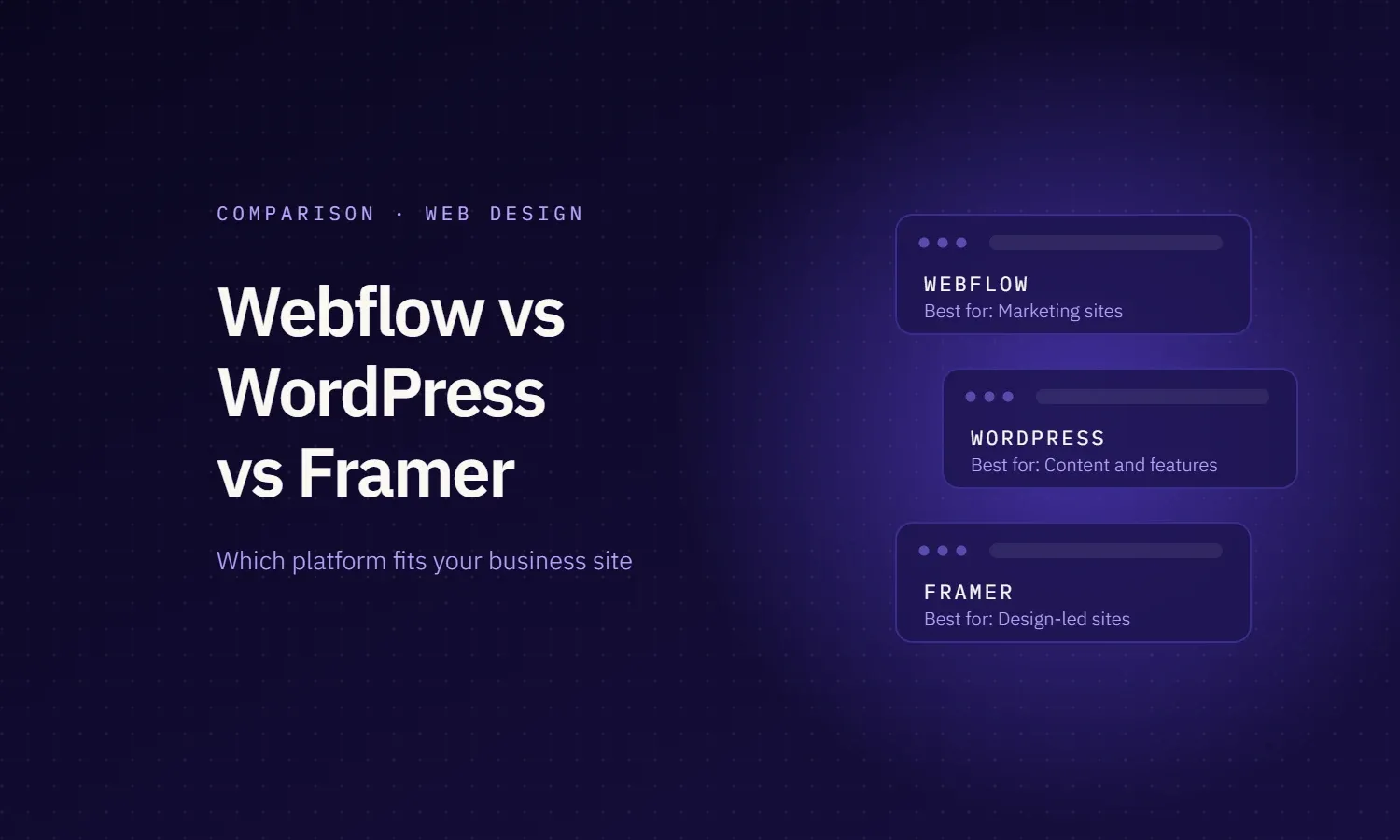
There is no single best platform. Pick Webflow, WordPress or Framer by who will run the site after launch and how big it needs to grow.
- Webflow is best for marketing teams that want design control and a solid CMS without managing plugins or servers.
- WordPress is best for content-heavy sites, stores, complex features and teams that want to own the code and hosting outright.
- Framer is best for small, fast-moving sites such as a startup homepage, a launch page or a portfolio that a designer updates.
All three can rank well on Google. The bigger differences are cost over time, who can edit safely and how hard it is to leave. Below you will find the full comparison, three head-to-head verdicts, real 2026 prices and the checklist we use with clients.
Webflow vs WordPress vs Framer at a glance
| Factor | Webflow | WordPress | Framer |
|---|---|---|---|
| Platform cost | Basic $15/mo; Premium (with CMS) $25/mo billed yearly, $39/mo billed monthly | Software is free; you pay for hosting, premium themes, plugins and upkeep | Basic $10/mo, Pro $30/mo (yearly billing) |
| CMS limits | Premium: 20,000 items, 40 collections | No platform limit; depends on hosting | Basic: 1,000 items, 2 collections. Pro: 2,500 items, extendable to 40,000 |
| Page limits | 300 static pages plus CMS pages | No platform limit | Basic 30 pages; Pro 150, extendable to 700 |
| Editing | Visual designer; content editors update text and CMS without touching layout | Block editor or page builder; flexible but easy to break layouts | Very easy canvas editing, close to a design tool |
| SEO | Clean code, meta fields, 301 redirects and sitemap built in | Strong with a plugin such as Yoast or Rank Math | Meta fields and sitemap built in; redirects on Pro only |
| Speed | Fast global CDN hosting included | Depends on hosting, theme and plugins | Fast CDN hosting included |
| Maintenance | Low; Webflow handles hosting, security and updates | Highest; core, theme and plugin updates plus security | Low; Framer handles hosting |
| Ecommerce | Separate Ecommerce plans | WooCommerce, the most flexible option | No built-in checkout; usually connected to Shopify |
| Lock-in | Medium; code export on paid Workspace plans, without CMS content | Lowest; you own files and database and can move hosts | Highest; no HTML export, the site lives on Framer hosting |
| Share of all websites | 0.8% | 39.6% | 0.2% |
| Best for | Marketing sites run by a marketing team | Content-heavy or feature-heavy sites | Small, design-led sites |
Prices come from the official Webflow pricing and Framer pricing pages and usage shares from W3Techs, all checked on 21 October 2026. Prices change often, so check before you buy.
Webflow vs WordPress: which is better for a business website?
This is the comparison most teams are really making. Webflow is a hosted visual platform: you design, manage content and publish in one tool, and Webflow runs the servers. WordPress is open-source software you install on hosting you choose, then extend with themes and plugins. That one difference drives almost everything else.
Ease of use and editing
Webflow has a steeper start for the person who builds the site, because it works like a visual version of HTML and CSS. Once it is built, it is the safer tool for a team: content editors change words, images and CMS items while the layout stays protected. WordPress is easier to start, and its post editor is familiar to most marketers, but page builders give every editor the power to break a layout by accident.
Webflow vs WordPress for SEO
Neither platform gives you an automatic ranking edge. Webflow ships the technical basics without plugins: editable titles and meta descriptions, auto-generated sitemaps, 301 redirects, canonical tags and clean markup. WordPress reaches the same level with an SEO plugin and a good host, and goes further when you need custom schema, programmatic pages or very large sites. In both cases, rankings come from content, internal links and page speed far more than from the CMS.
Speed and hosting
Every Webflow site is served from a global CDN, so a well-built Webflow site is fast by default. WordPress speed is your responsibility: the host, the theme and the number of plugins decide it. A lean WordPress site on good managed hosting is just as fast. A WordPress site with 40 plugins on cheap shared hosting is not.
Security and maintenance
Webflow patches and hosts the platform for you, so there are no plugin updates to run. WordPress is secure when it is maintained, but someone has to update core, themes and plugins, keep backups and watch for vulnerabilities. Most WordPress security problems come from outdated plugins and themes, not from WordPress core.
Cost over time
Webflow costs more on the invoice and less in hours: the Premium plan is $25 a month billed yearly and covers hosting, SSL and the CMS. WordPress software is free, but managed hosting, premium plugins and a maintenance retainer are where the money goes. Over three years the totals are often closer than the price pages suggest, so compare the full cost, including who does the upkeep.
Flexibility and ownership
WordPress wins on freedom. You own the code and the database, can move hosts at any time and can build almost anything: stores with WooCommerce, memberships, bookings and custom integrations. Webflow covers most marketing needs out of the box, and its code export on paid Workspace plans gives you the HTML, CSS and JavaScript, but CMS content, ecommerce and localized pages are not included, so leaving still means a rebuild.
Framer vs Webflow: speed to launch or room to grow?
Framer and Webflow are both hosted visual builders, so the choice comes down to how much structure the site needs. Framer feels like a design tool that publishes websites: a designer can take a page from idea to live in a day, with animations built in. Webflow asks for more setup, a class system and a planned CMS, and pays that back when the site grows.
- Design and animation: Framer is faster for expressive, animated pages. Webflow can do the same with its interactions panel but takes longer to build.
- CMS and scale: Webflow Premium allows 20,000 CMS items and 40 collections. Framer Basic allows 1,000 items and 2 collections; Pro starts at 2,500 items and 10 collections, with paid add-ons up to 40,000 items.
- Editing for teams: both let non-designers edit content. Framer charges $20 a month per additional editor and $10 per content editor; viewers are free.
- SEO: both cover meta fields and sitemaps. Framer only includes redirects on Pro, which matters the day you rename a page that already ranks.
- Languages: Webflow Localize starts at $9 a month; Framer charges $20 a month per translation locale.
- Leaving later: Webflow offers code export on paid Workspace plans. Framer has no HTML export, so moving away means a rebuild.
Framer vs WordPress: two opposite approaches
Framer and WordPress sit at opposite ends. Framer is the fastest and simplest way for a designer to publish a polished site, with hosting handled and almost no maintenance. WordPress is the most flexible and the most demanding: it can grow into anything, but it needs a developer or a maintenance plan to stay fast and secure.
Choose Framer for a launch page, startup homepage or portfolio under about 150 pages. Choose WordPress if you plan thousands of posts, need a store, or want full control of your code and data.
Webflow: design control without plugin upkeep
Webflow suits a business whose marketing team wants to change pages often without calling a developer. A designer builds the system once, and editors update text, images and CMS posts without touching the layout.
Where Webflow works well
- Marketing sites with a blog, case studies and landing pages
- Teams that want hosting, SSL and a CDN handled in one bill
- Brands that need pixel-level design control
Where Webflow gets hard
- The CMS has hard limits, so very large content libraries need planning
- Complex logic such as memberships, bookings or custom apps usually needs third-party tools
- Costs grow with seats, locales, bandwidth and add-ons such as Optimize, which starts at $299 a month
In our builds, the main Webflow risk is not the platform. It is a site built without a class system, which turns every later edit into a redesign.
WordPress: maximum freedom, maximum upkeep
WordPress powers 39.6% of all websites and 58.3% of sites with a known CMS (W3Techs, October 2026). That reach means a plugin, theme or developer exists for almost any need: WooCommerce alone runs on 19.8% of WordPress sites.
Where WordPress works well
- Content-heavy sites with hundreds or thousands of posts
- Sites that need custom features, WooCommerce or deep integrations
- Companies that want to own the code, database and hosting
Where WordPress gets hard
- Someone must update core, themes and plugins and watch security
- Speed depends on the host and on how many plugins are installed
- Page builders make editing easy but can slow the site and lock the layout to one plugin
When we take over a slow WordPress site, the cause is usually plugin build-up and cheap hosting, not WordPress itself.
Framer: the fastest path from design to live
Framer is the newest of the three and the smallest, at 0.2% of all websites, but it has become the default for many startups and designers because nothing else gets a polished site live as fast.
Where Framer works well
- Startup homepages, launch pages and portfolios
- Small teams where the designer is also the site owner
- Sites under about 30 pages on Basic, or 150 pages on Pro
Where Framer gets hard
- CMS and page limits are tighter than Webflow, so large blogs outgrow it
- There is no HTML export, so moving away means a rebuild
- There is no built-in checkout; stores connect Shopify or a third-party tool
- Advanced hosting controls such as rewrites and firewall rules are a $200 add-on on Pro
Framer is a strong choice for speed to launch. It is a weaker choice for a site you expect to grow into a large content library.
What each platform really costs
The plan price is only the start. This is what you pay the platform itself for a typical business site, before design and build.
| Cost item | Webflow | WordPress | Framer |
|---|---|---|---|
| Plan with a CMS | Premium: $25/mo billed yearly, $39/mo monthly | Software free; hosting from your provider | Basic $10/mo or Pro $30/mo, billed yearly |
| Extra editors | Seats billed through your Workspace plan | Unlimited users at no cost | $20/mo per editor, $10/mo per content editor |
| More languages | Localize from $9/mo | Free or paid translation plugin | $20/mo per locale |
| A/B testing | Optimize from $299/mo | Plugin or third-party tool | Convert from $50 per 500,000 events |
| Updates and security | Included | Your developer or a maintenance plan | Included |
For WordPress, the hidden line is time. A site that nobody updates gets slower and riskier every month, so budget for maintenance from day one, whoever does it.
How we choose a platform on client projects
We pick the platform after four questions, never before. The answer depends more on the team than on the features.
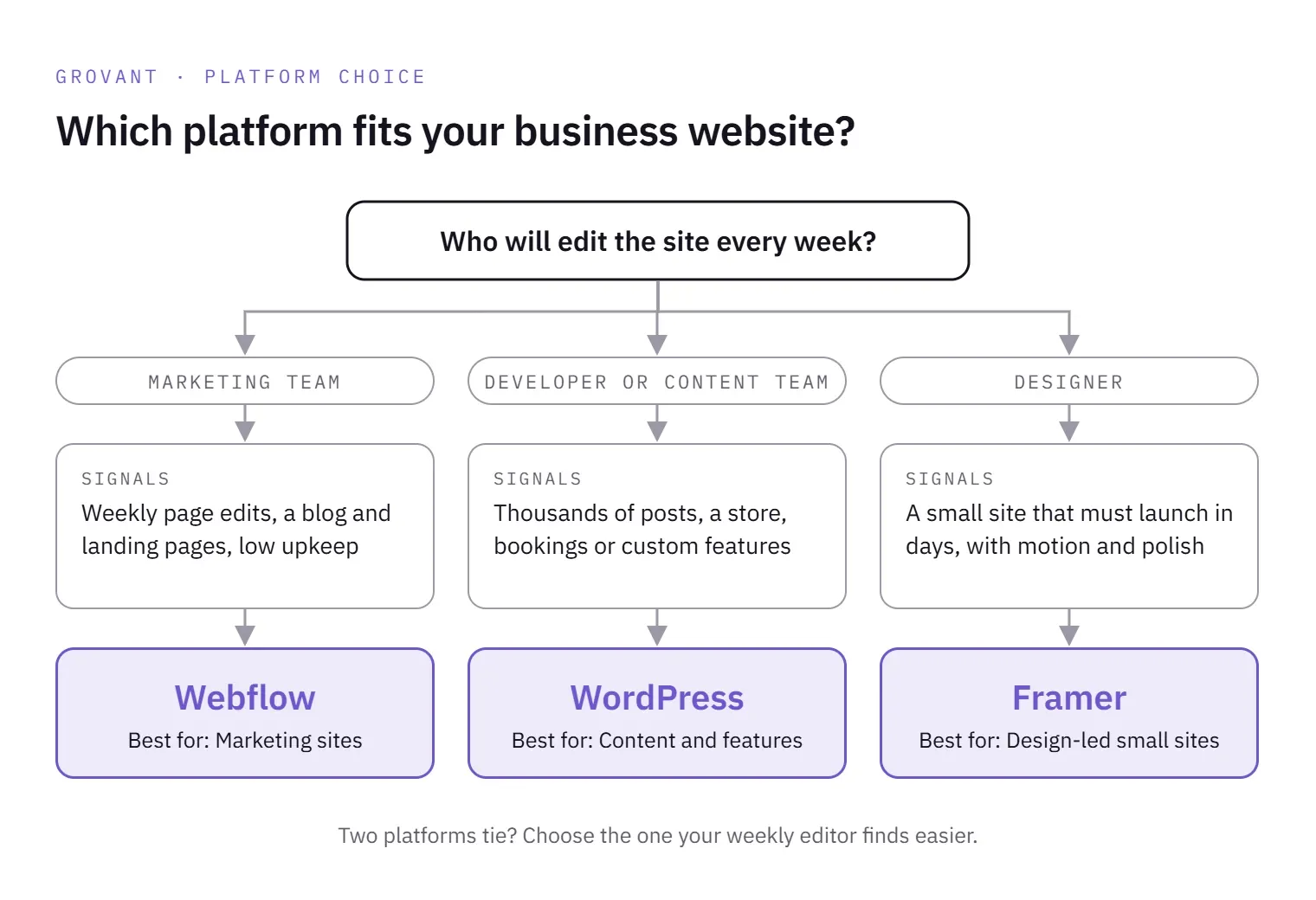
- Who edits the site every week? A marketer points to Webflow, a designer to Framer, a developer or content team to WordPress.
- How much content in two years? Under a few hundred pages, all three work. Thousands of posts or products usually means WordPress.
- What has to work beyond pages? Bookings, memberships, stores and custom tools lean towards WordPress or a custom build.
- What happens if you leave? If owning the code matters, WordPress wins. If speed and low upkeep matter more, Webflow or Framer.
The platform rarely decides whether a site converts. Structure, copy and page speed do, which is why we check for the design mistakes that quietly kill conversions on every build, whatever the platform.
Decision checklist
Count the lines that are true for your business. The platform that comes up most is your likely fit.
| If this is true for you | Likely fit |
|---|---|
| Marketing team edits pages weekly | Webflow |
| Designer owns and updates the site | Framer |
| Thousands of posts or products planned | WordPress |
| Need a store, bookings or memberships | WordPress |
| Want hosting and security handled for you | Webflow or Framer |
| Must own the code and move hosts freely | WordPress |
| Need to launch in days, not weeks | Framer |
| Want a strong CMS without plugins | Webflow |
If two platforms tie, choose the one your weekly editor finds easier. A site nobody wants to update goes stale fast.
Switching platforms later
Plan the exit before you build, because no move between these three is a simple export and import.
- Leaving Webflow: code export needs a paid Workspace plan and leaves out CMS content, ecommerce, user accounts and localized pages. CMS collections export separately as CSV.
- Leaving Framer: there is no HTML export, so the design is rebuilt and the content is moved over by hand or through the CMS.
- Leaving WordPress: you own everything, so content moves easily, but the theme and plugin features have to be rebuilt on the new platform.
- Every move: map each old URL to its new one with a 301 redirect, or the rankings you built go with the old site.
Where Grovant fits
We build on all three, so we have no reason to push one. One senior designer runs the project, and you own the Figma files and site from day one.
- Webflow and Framer builds sit with our web design team.
- WordPress and custom builds with heavier features go to our web and app development team, with the code in your own repository.
- Agencies can resell any of these under their own brand; see our white label web design guide.
Every project starts with a free design audit and a custom quote based on scope. We do not use fixed packages.